

Agent UI - Knowledge Base

Agent UI - Knowledge Base

API & Database

Connect Any API to AgentUI: Enable Backend Functions for Stripe & More

Learn how to connect any API to AgentUI using Backend Functions. This step-by-step guide shows how to integrate Stripe and other data sources to create automations, sync data, and power custom app workflows.

Last updated on 03 Apr, 2026

Step by step guide

Step 1: Open Dashboard

Navigate to the Dashboard to start the process.
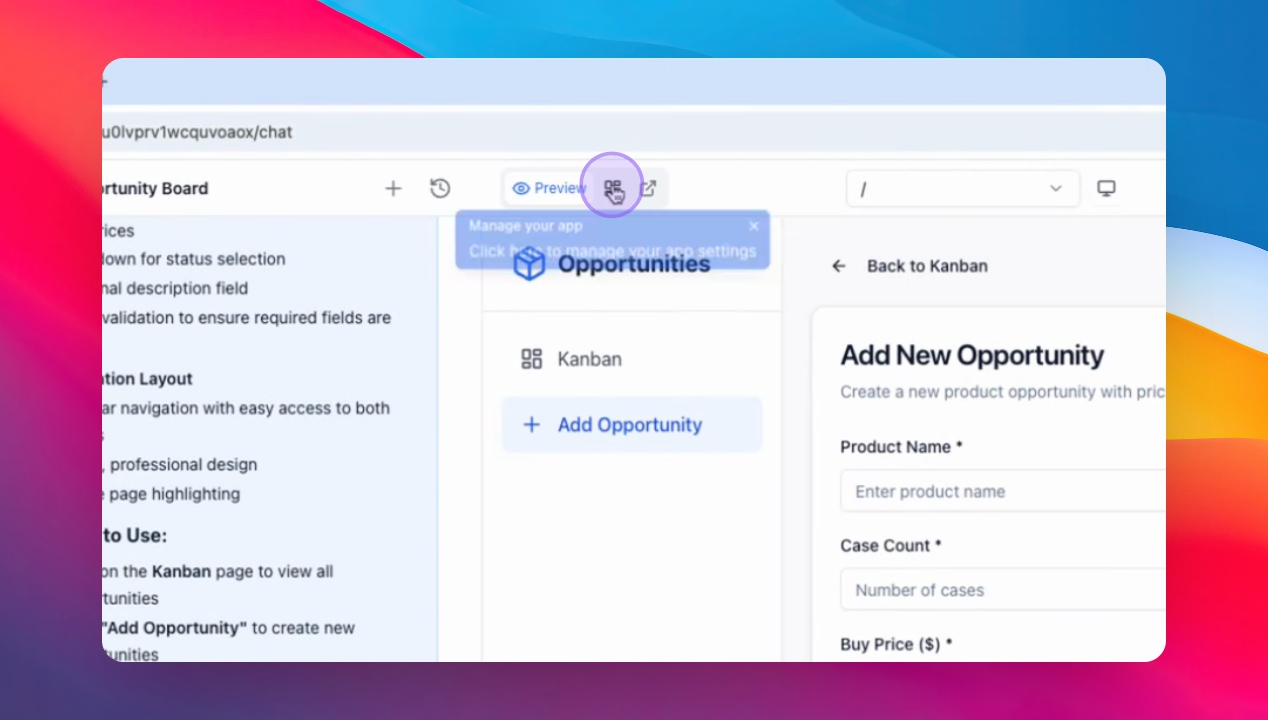
Snapshot

Step 2: Access Settings

Click on Settings to open the configuration options.
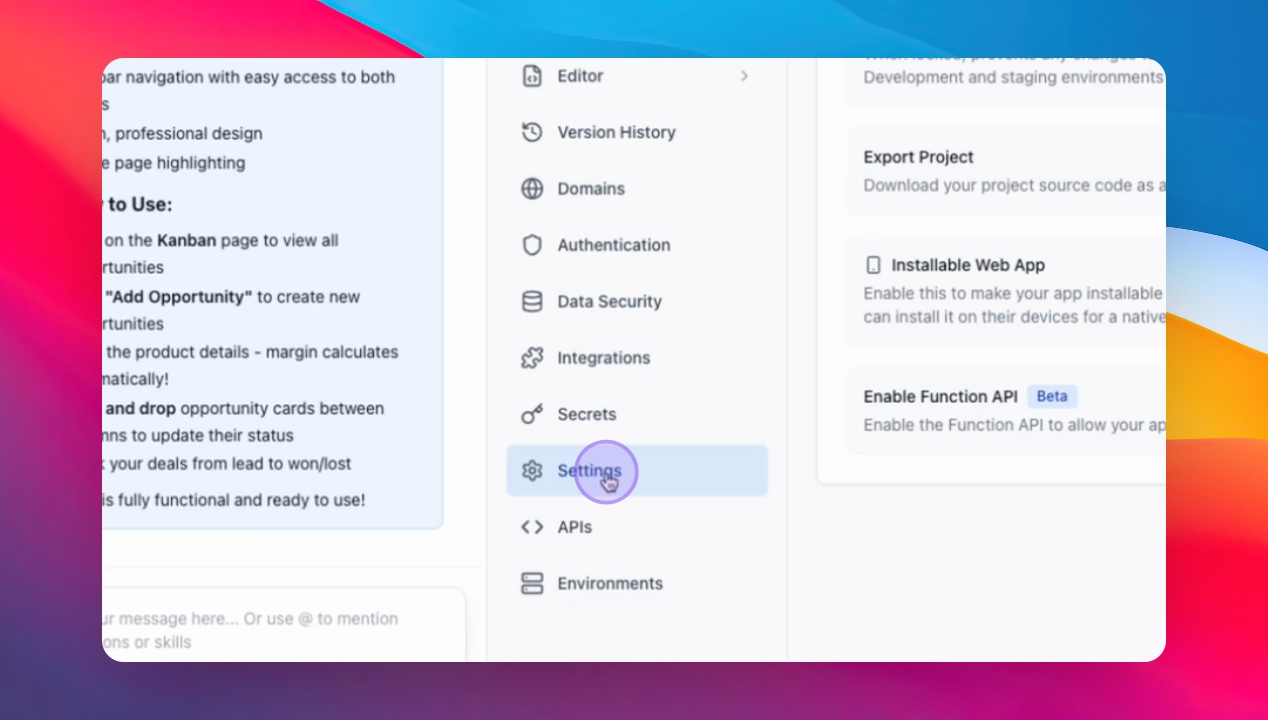
Snapshot

Step 3: Enable Backend

Click Enable Backend Function to activate backend capabilities.
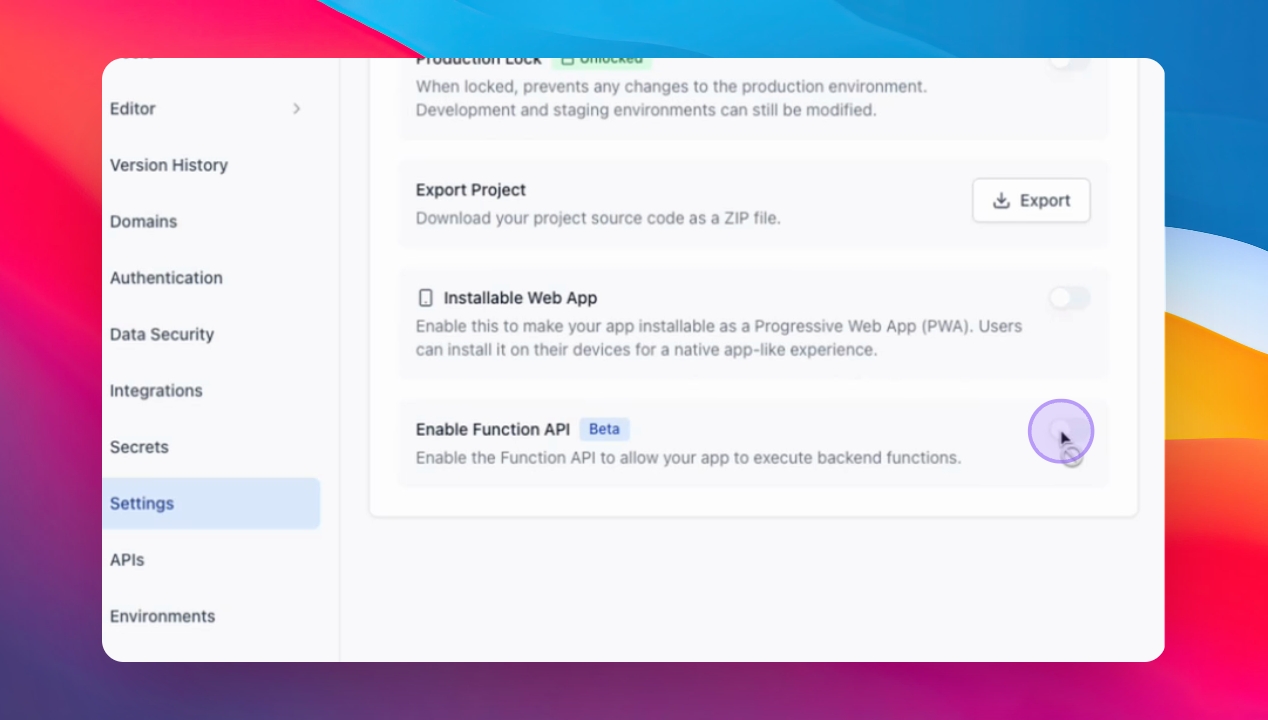
Snapshot

Was this page helpful?
Previous

Share Database Between Apps

Next

AgentUI