

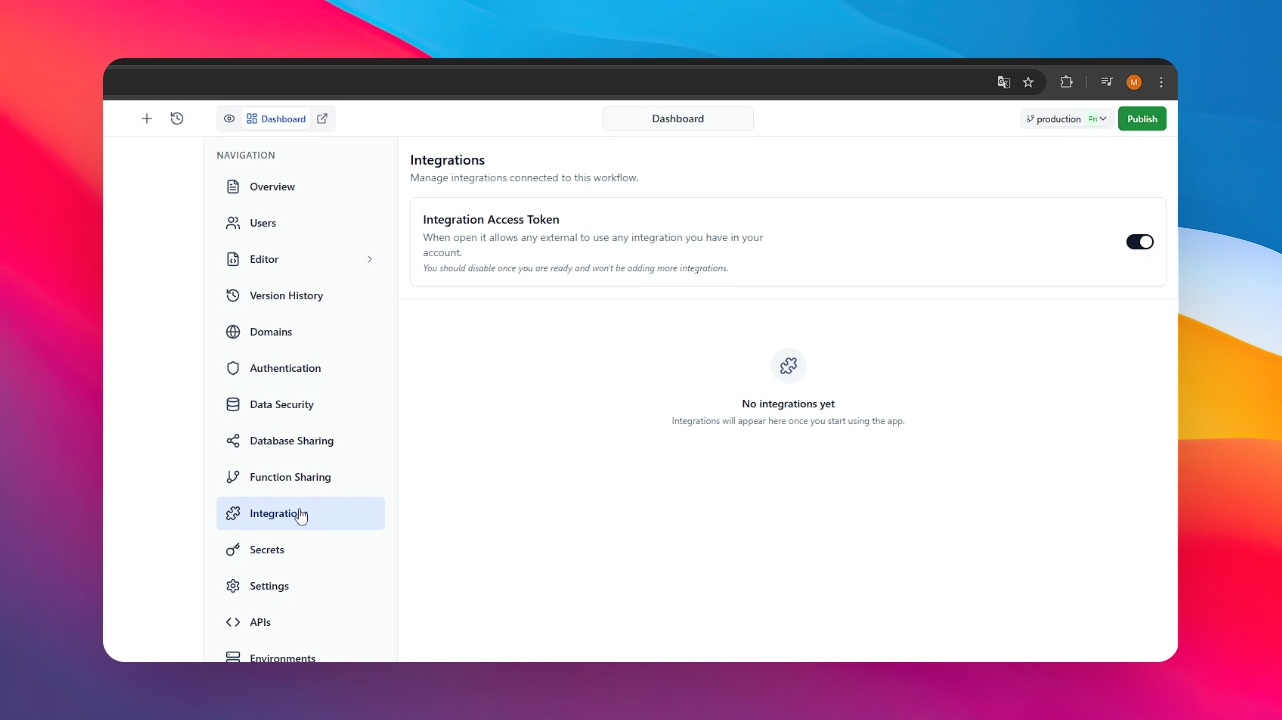
Step 1: Access the Integrations Menu
From your app's main dashboard, navigate to the Integrations menu. This is where you manage how your app connects with external services.
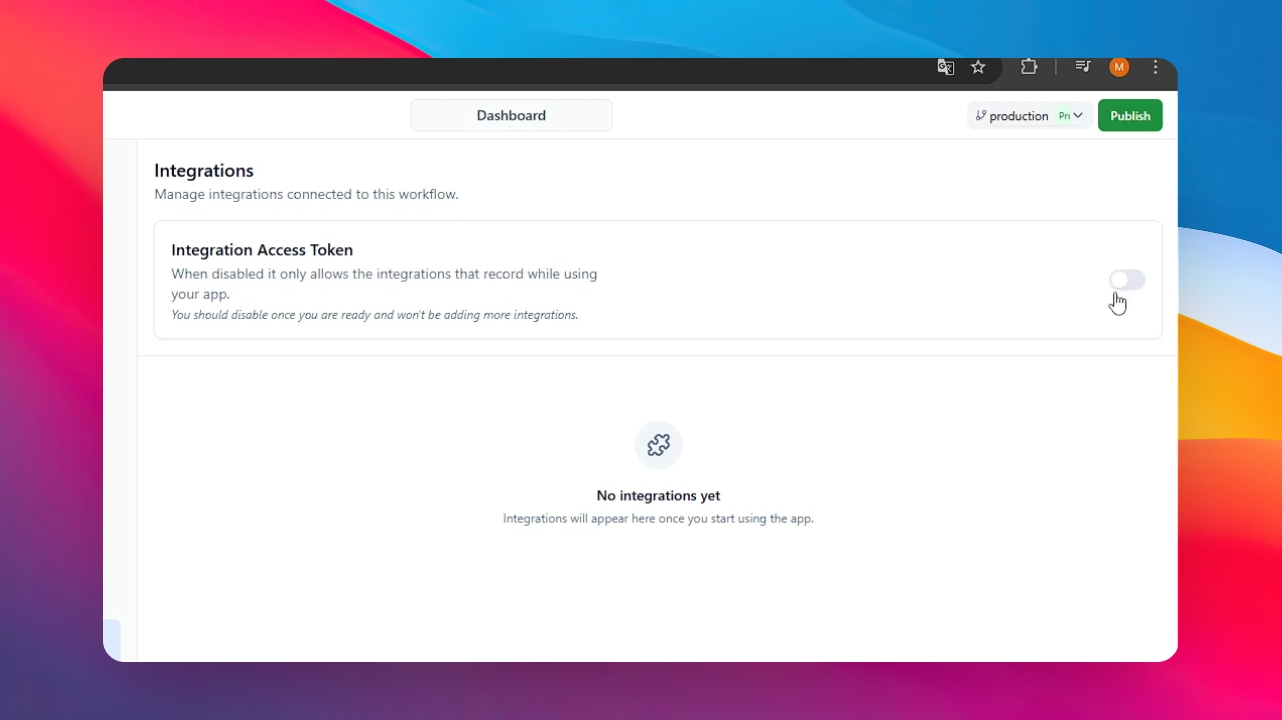
Step 2: Deactivate the Integration Access Token
Locate the Integration Access Token and toggle it to off. This token allows external users to use the integrations linked to your account; once your app is ready for the public, you should disable this to prevent unauthorized use of your external tools.
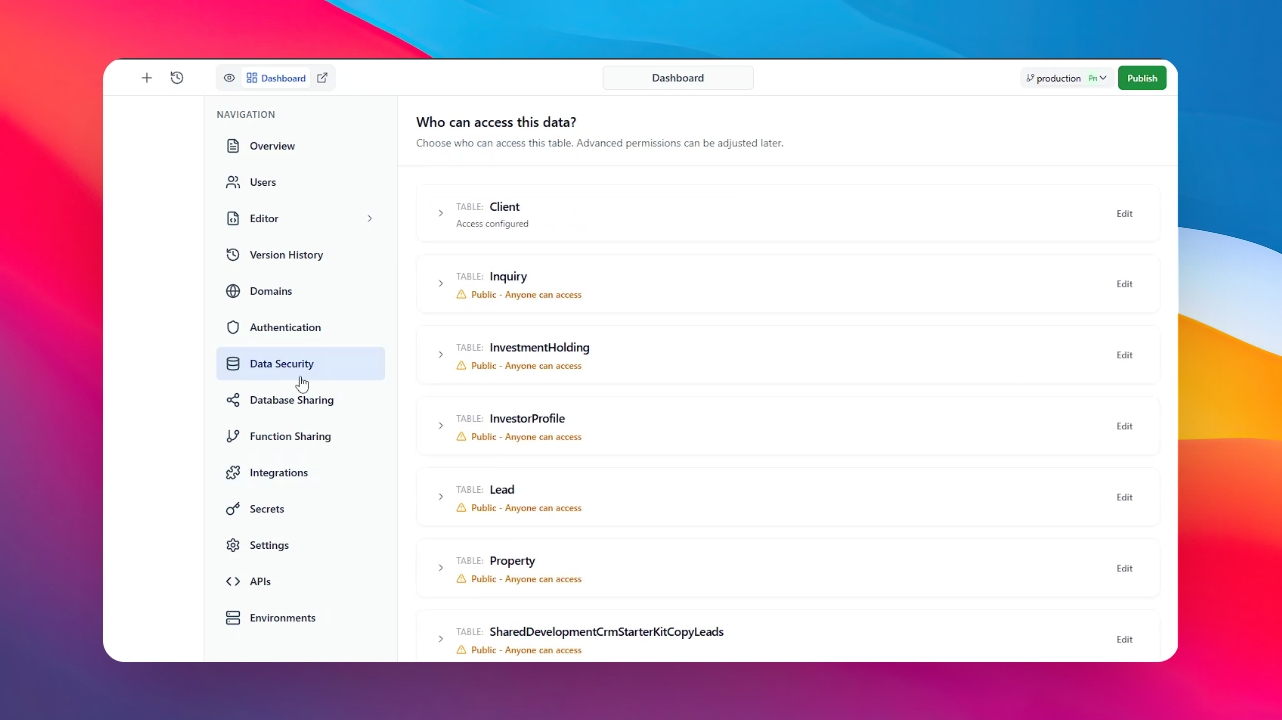
Step 3: Navigate to Data Security
Go to the Data Security section in your dashboard. This is the central hub for managing who can see or interact with your application's database.
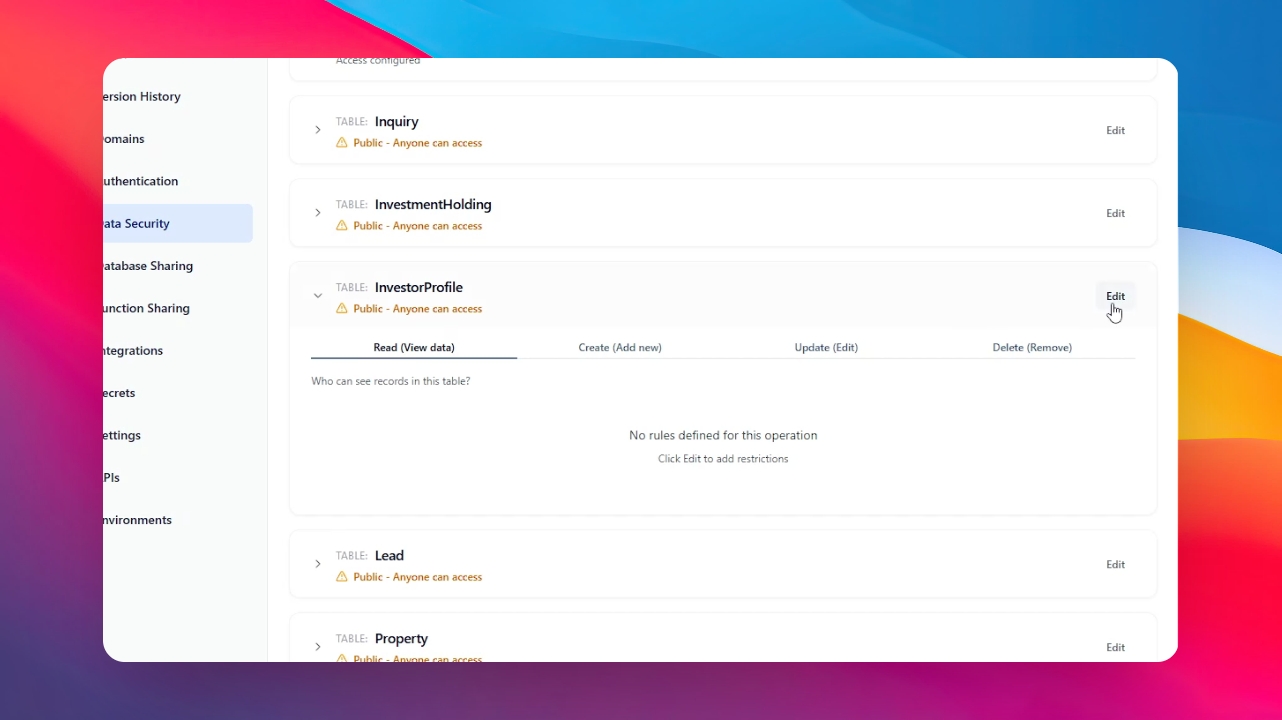
Step 4: Configure Table Access
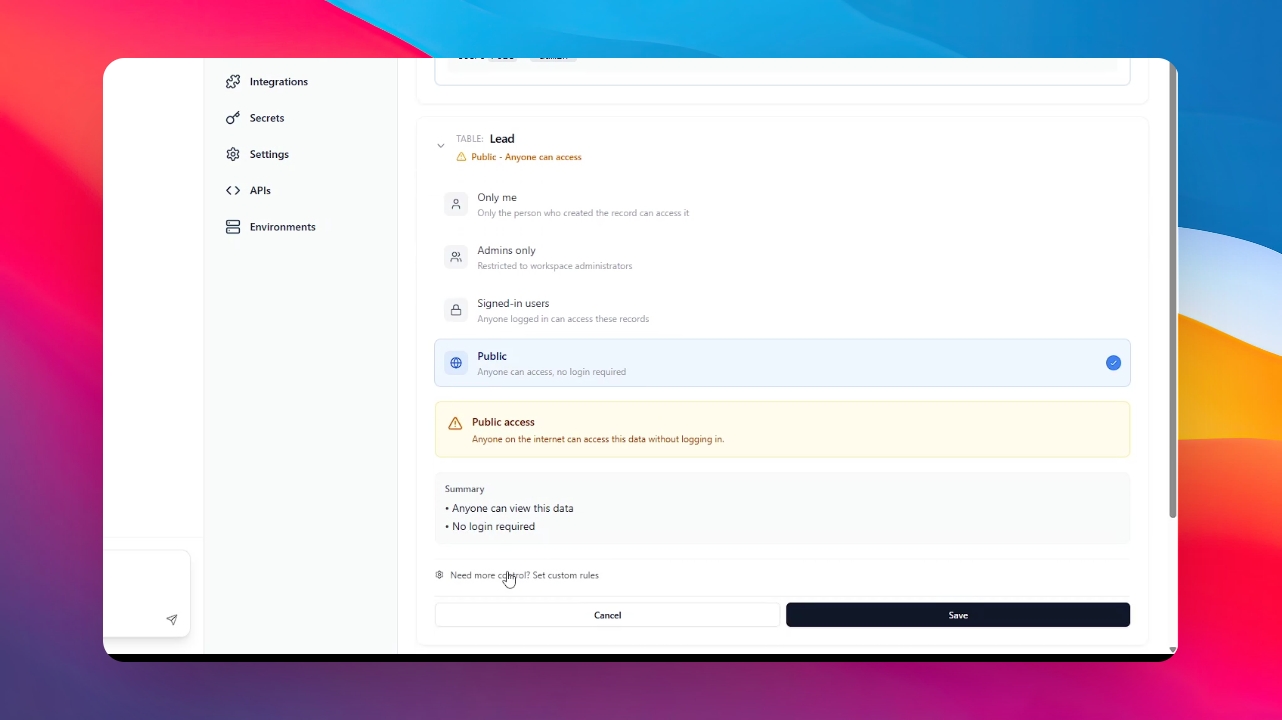
Click on any table you wish to secure. For example, you can select a sensitive table and restrict its access to Admin only. This ensures that regular users cannot view or modify protected data.
Step 5: Use Advanced Customization
If you require more granular permissions, click on "Need More Control." This option allows you to select specific configurations and custom access levels for every individual table in your database.
Step 6: Final Review and Publish
Once your access tokens are deactivated and your data permissions are strictly defined, your app is officially ready to publish. You can now proceed to take your project live with confidence.